#TwoMinuteTeardown: Hamgeek YK-1000H NTP
Two Minute Teardown: Hamgeek YK-1000H NTP
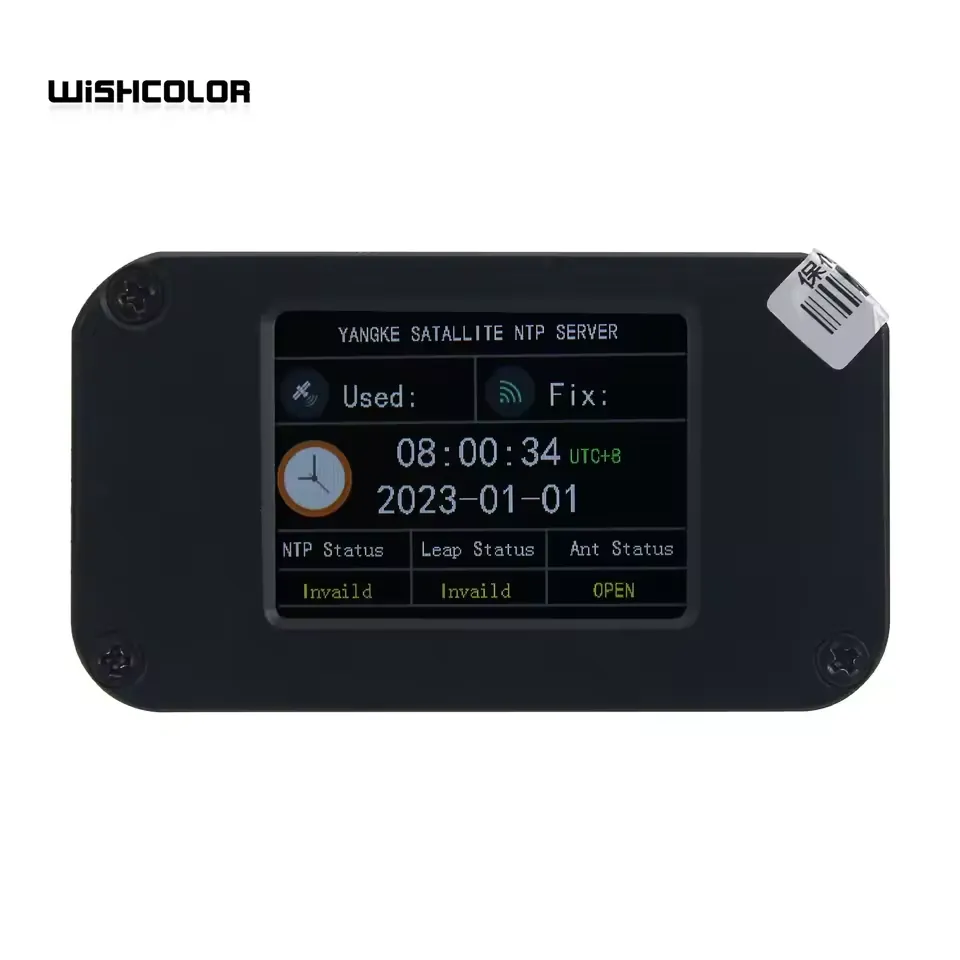
Curiosity got the better of me when browsing AliExpress and I spotted this GPS NTP server for under $100 USD.
I needed a cart-stuffer anyways so I ordered one as a backup for my existing GPS/NTP server.
While waiting, I took a look around to see if there was any additional information about who makes this / if there was a custom firmware or similar.
Nope, there there is not a ton of information about the YK-1000H online.
Shortly after it arrived, I plugged it in and … waited for it to get a GPS fix in an area where I know GPS works well. After about 24 hours, still no fix!
That’s when I noticed the warning that the seller had added to their product listing:
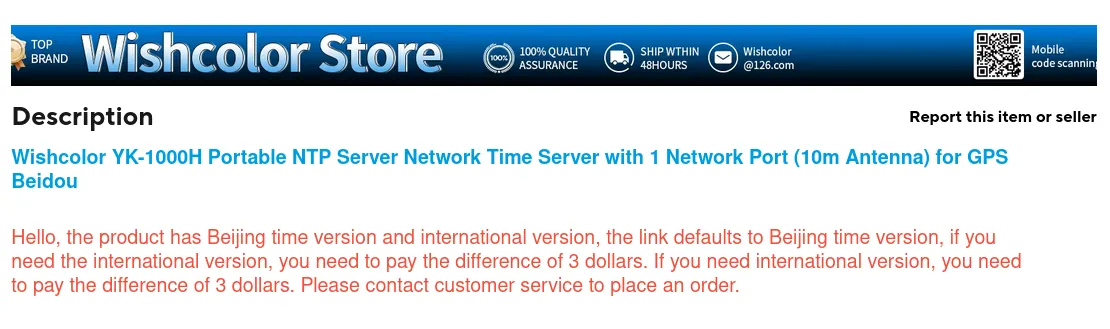
You'll never guess what I didn't see until after it arrived...
I do not really understand why there’s a $3 surcharge for the international version; I assumed that all of the major GPS constellations use the same CDMA modulation in the same ~1.5GHz band so as long as you don’t need the encrypted military signals, the radio hardware should be the same everywhere and just work everywhere.
Apparently not! Oh well, the unofficial motto of AliExpress is 一分钱一分货 (“Buyer Beware”).
Teardown
Start from the rear, remove the screws and the nut/grommet around the SMA connector.
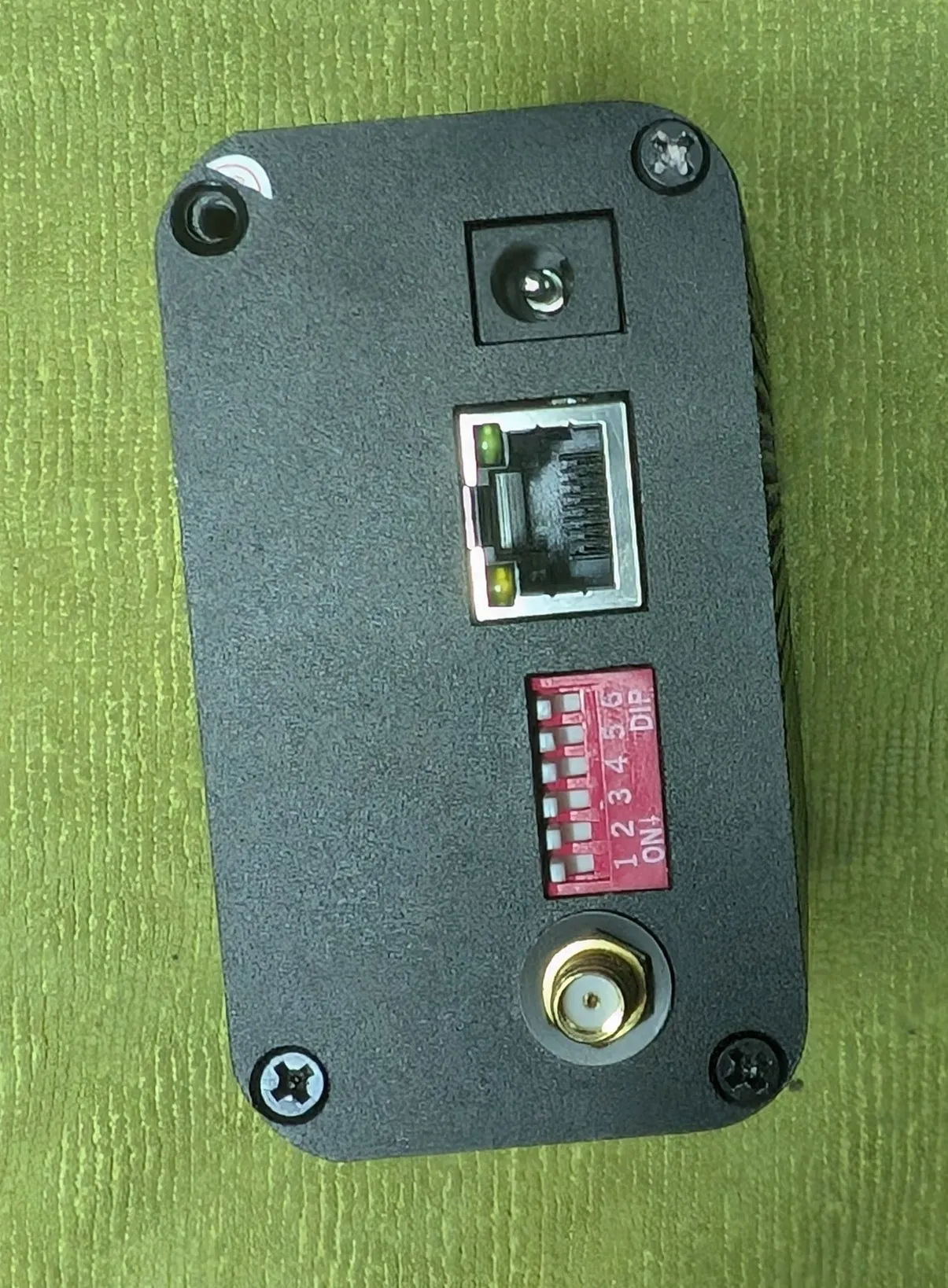
You will not be able to slide the main PCB out because it’s still connected to the front panel via a ribbon cable.
Then remove the front screws and then the main PCB can be slid out.
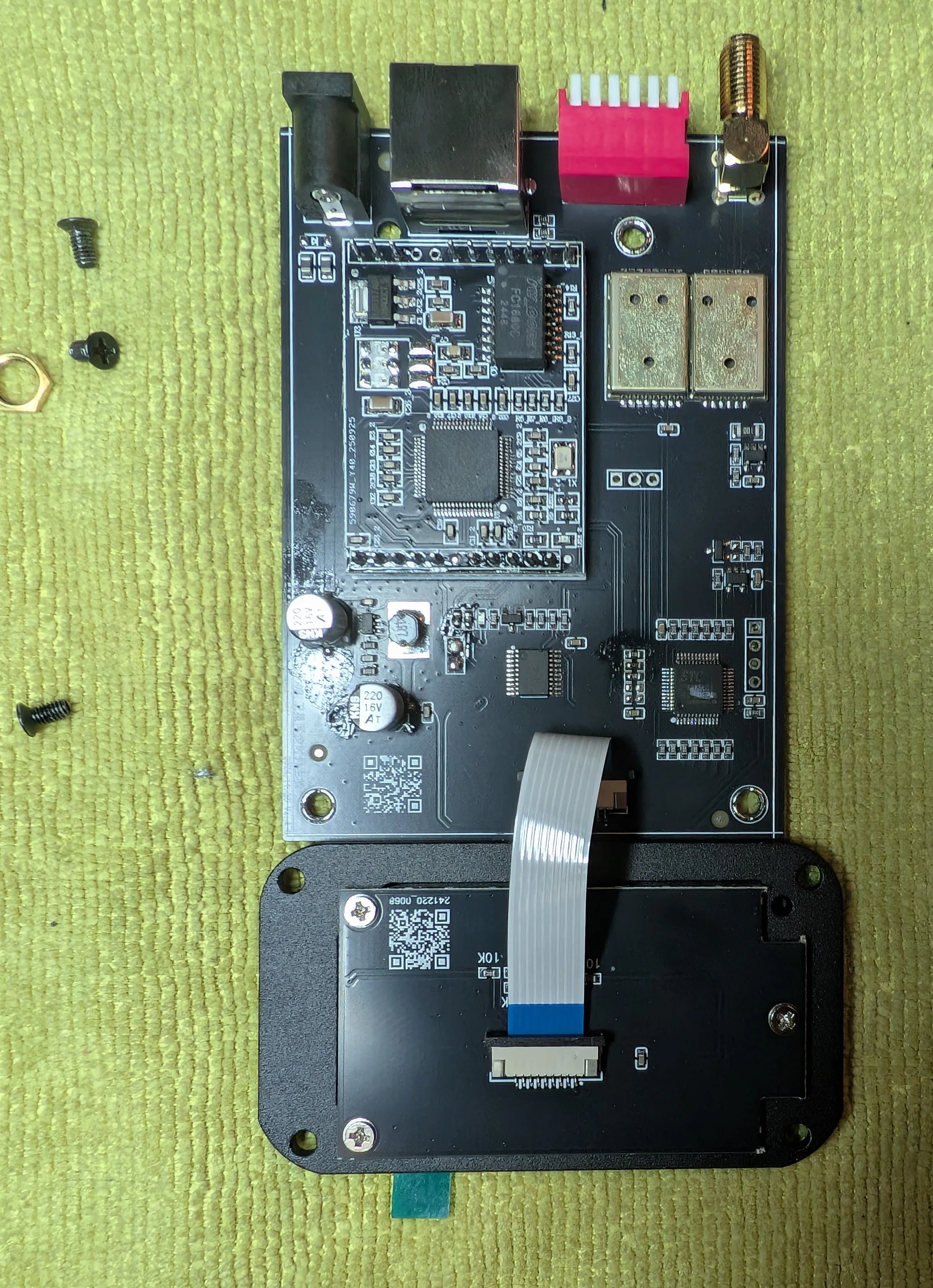

There’s nothing of interest on the reverse side of the main PCB or the LCD board.
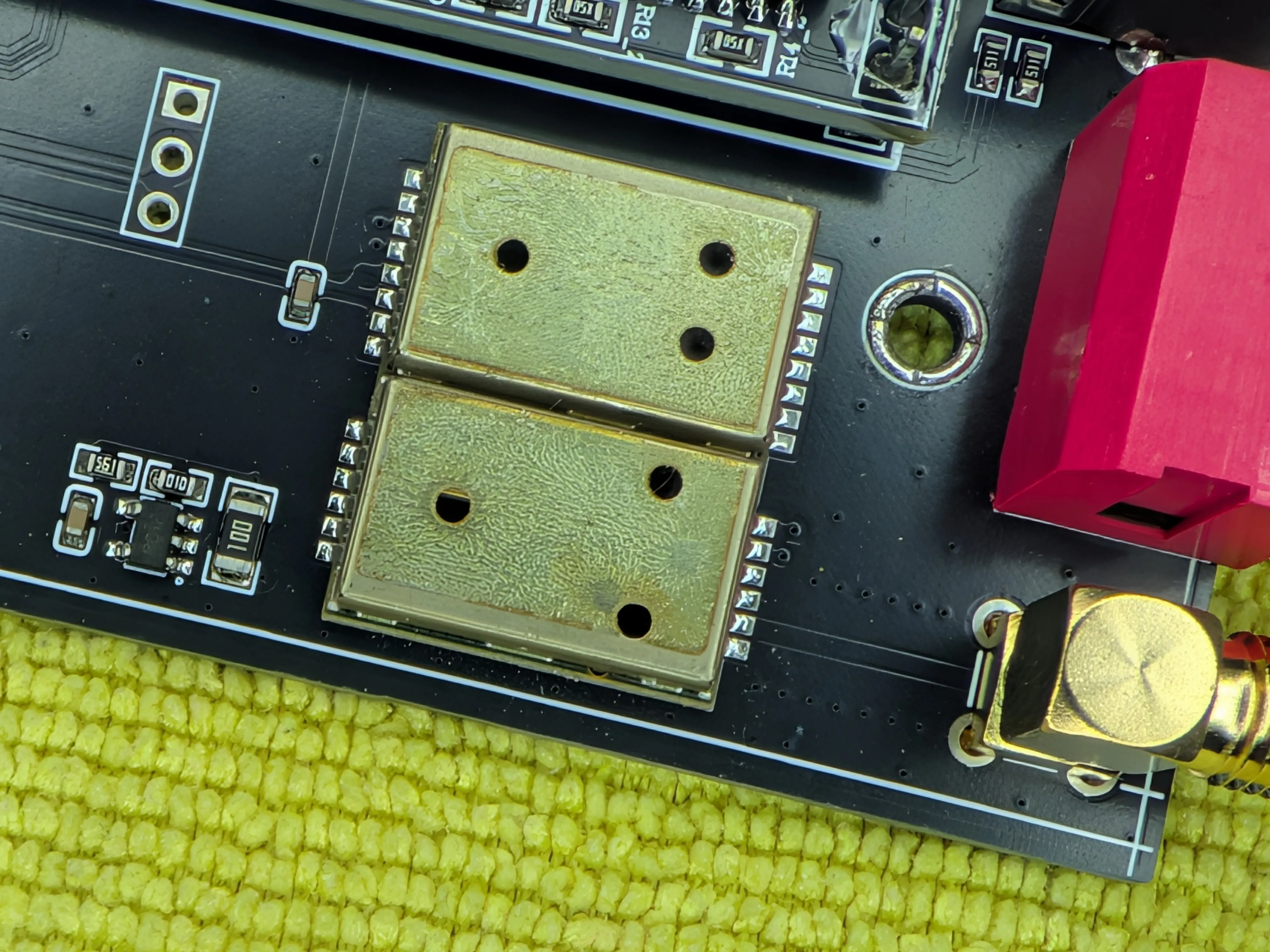
The cans on the GPS module are soldered on … but not well. With just a little bit of prying, they came right off… to reveal a very dusty interior.
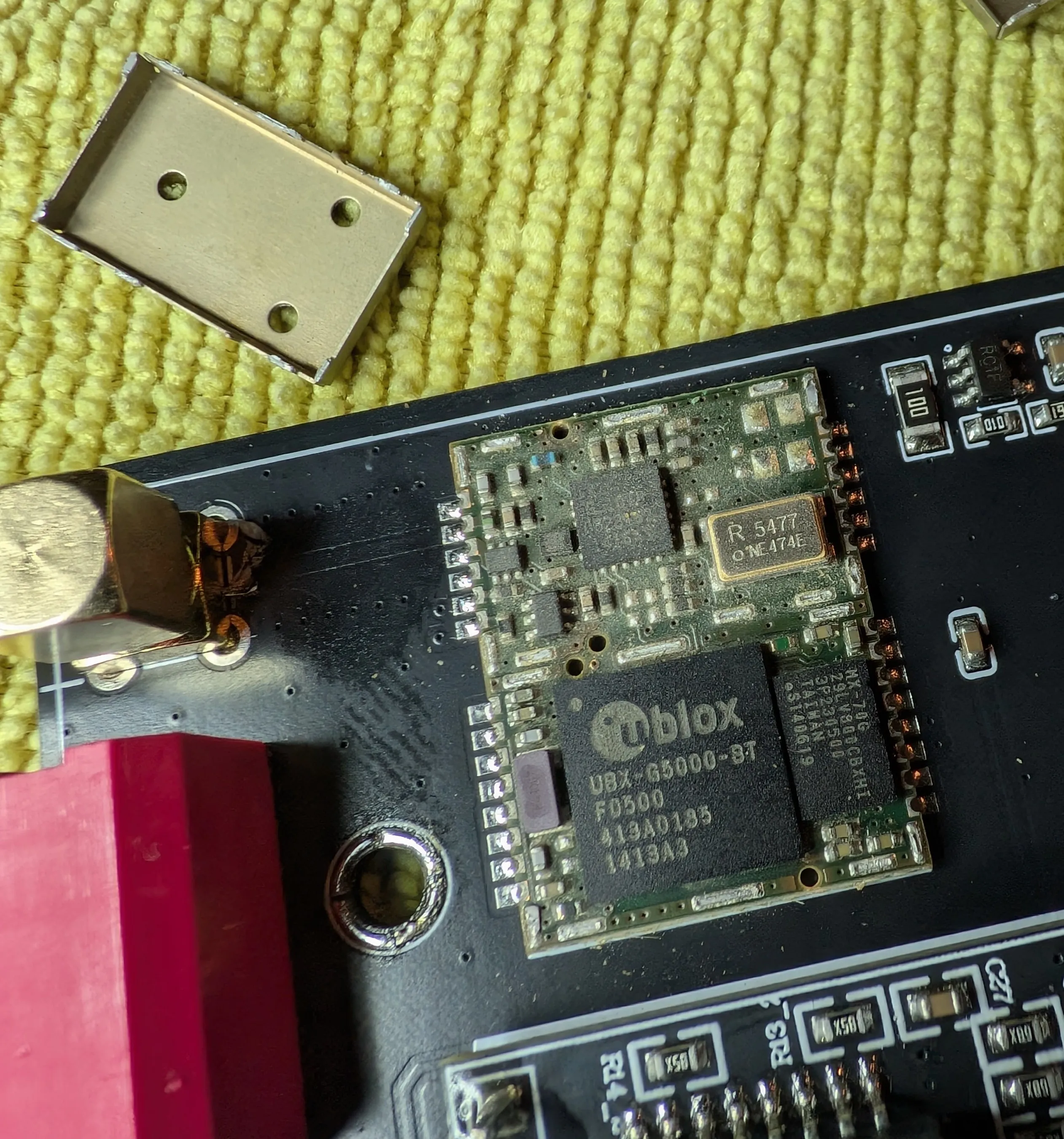
I do not know what that dust is...
I can’t get an ID on the RF front-end chip, the MX-70G next to the UBX-G5000-BT is almost certainly flash memory for the GPS module.
Almost none of the pads go anywhere; the two pads near that SMA connector are likely power and the other two pads that go anywhere (top left) are likely the serial TX/RX lines for configuration/debug.
It appears that the UART is broken out to that 3-pin header near the GPS module.
ICs and Markings
UBX-G5000-BT: u-blox multi-constellation GPS receiver that absolutely should have worked anywhere in the world. Not sure why the seller insisted on the “international” version.WCH CH9126: A dedicated SNTP client/server chip with built in ethernet MAC/PHY. Feels like a W5500 but instead of just TCP/UDP it has SNTP support built in.74HC245KA: A standard octal bus transceiver to help with data lines / level shifting.STC Micro STC15W4K56S4: an 8051 based microcontroller to handle GPS parsing and general control of the device / driving the display.
The main PCB has some text and a QR code in the front/left corner:
| |
The QR code decodes to YKDZ_250505_0255
The “carrier” board with the CH9126 has:
| |
The LCD/Display board has a QR code that decodes to YKDZ_TFT_241220_0068
Those are almost certainly production batch/date codes. The pattern feels similar to what JLCPCB uses for their PCBs but that’s just a guess / not uniquely identifying.
Miscellaneous
I asked the seller for the software and they sent me a copy. I do not know why they couldn’t just have linked to it in the product listing … but oh well. Now you can download it w/o having to bother w/ the language barrier :).
- Scanned Manual (chinese and english)
- OEM Manual (
YK-1000H卫星同步时钟产品说明书.pdf) (chinese, only) - OEM Software (
90467 90479 YK-1000H 英文软件.exe)
Software
Partly because I didn’t get the “international” version and partly because I don’t have a proper Windows based RE environment set up, I wasn’t able to dig into the software much.
Googling the very unique CH9126_MODULE_V1.03 string turns up … one reference post with some C code that probably matches what the OEM software is doing to configure the module.
I have archived the reference post here and here.
That reference post has a link to a CH9126ConfigTool.zip which appears to be a reference implementation/SDK with a compiled .exe as well.
The .exe isn’t the same one as what the seller sent me … but the icon is identical so they’re probably from the same source.
The strings output did raise an eyebrow:
- The common UART baud rate strings is interesting, probably for configuring the comms to the main microcontroller.
- No obvious certificates or cryptographic strings; firmware might not be signed?
- There is some mechanism for saving configuration. Presumably that’s a cheap way to load arbitrary bytes into the device… :)
| |